- Open ChatGPT (chatgpt.com or the app) and start a new chat.
- Copy a prompt below and swap [YOUR TOPIC] for whatever you want to learn or explain.
- Send it. Every prompt asks for an image, so you get a picture back instead of a wall of text.
Anime explainer
What you get: your topic explained in anime-style pictures, like a little comic. One character walks you through it, one idea per panel. So much easier to remember than a page of dot points.
Use it when: you're learning something new and want it to stick, you're explaining your service to a customer who glazes over at words, or you're helping the kids with homework.
Tip: keep the speech bubbles short. The fewer words in the picture, the fewer chances it has to misspell one.
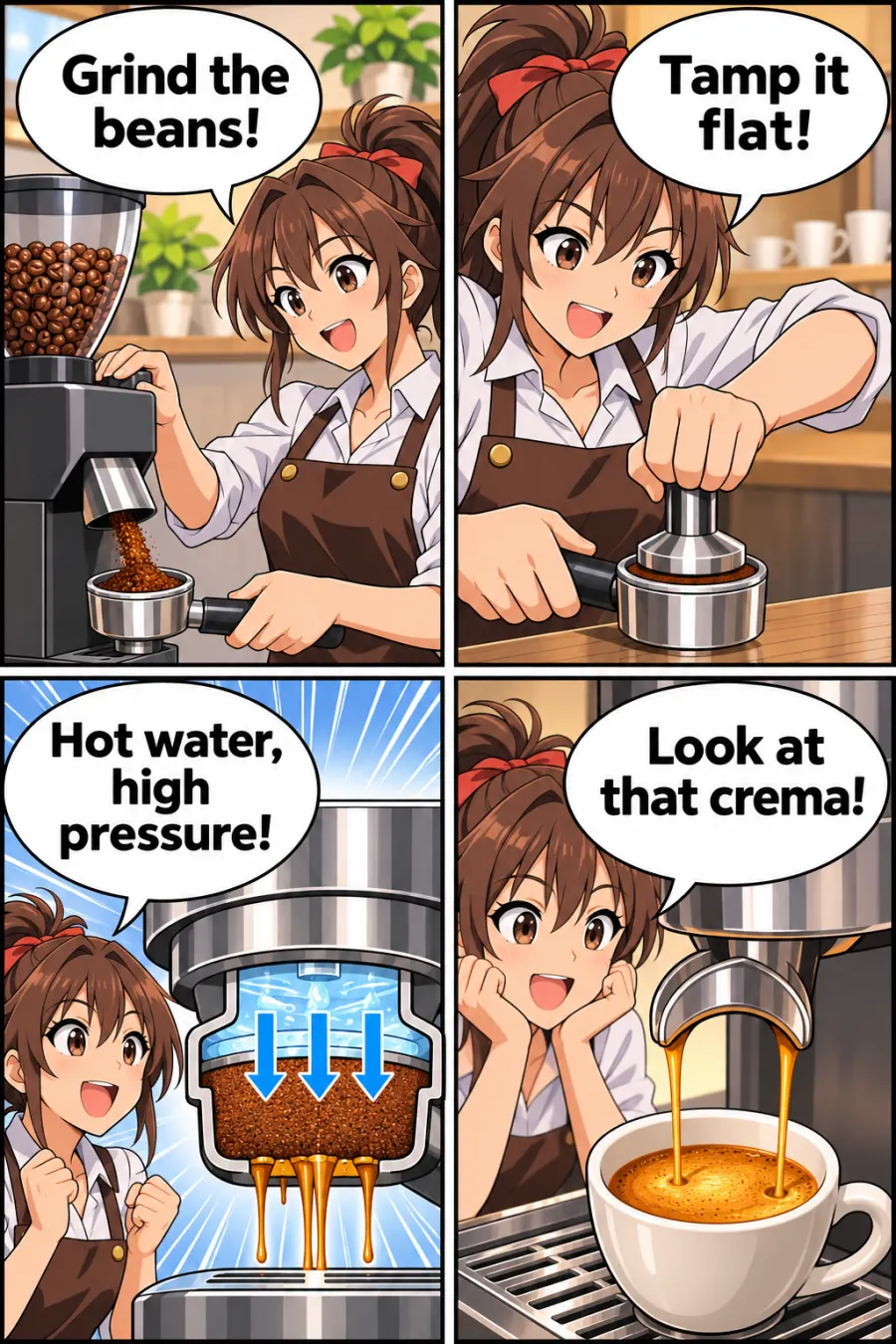
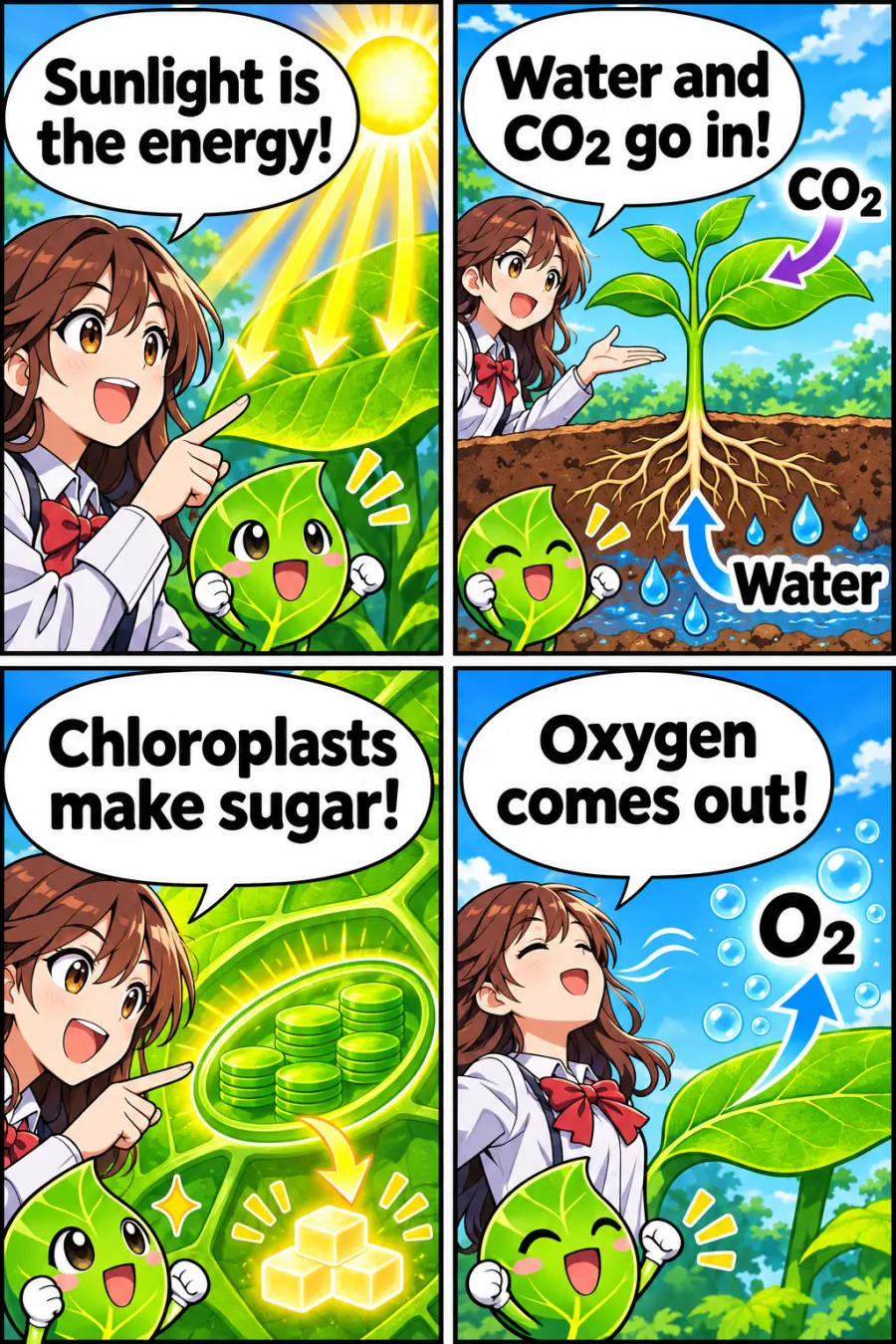
Examples made with ChatGPT-style AI image generation. Tap one to see it full size.
Timeline view
What you get: everything in order, on one line, so you can see what happened when.
Use it when: you're studying history, mapping out a launch, planning a client's first 90 days, or telling your business story on one slide.
Tip: dates are where it slips up most. Check every one against your textbook or a proper source before you share it or study from it.
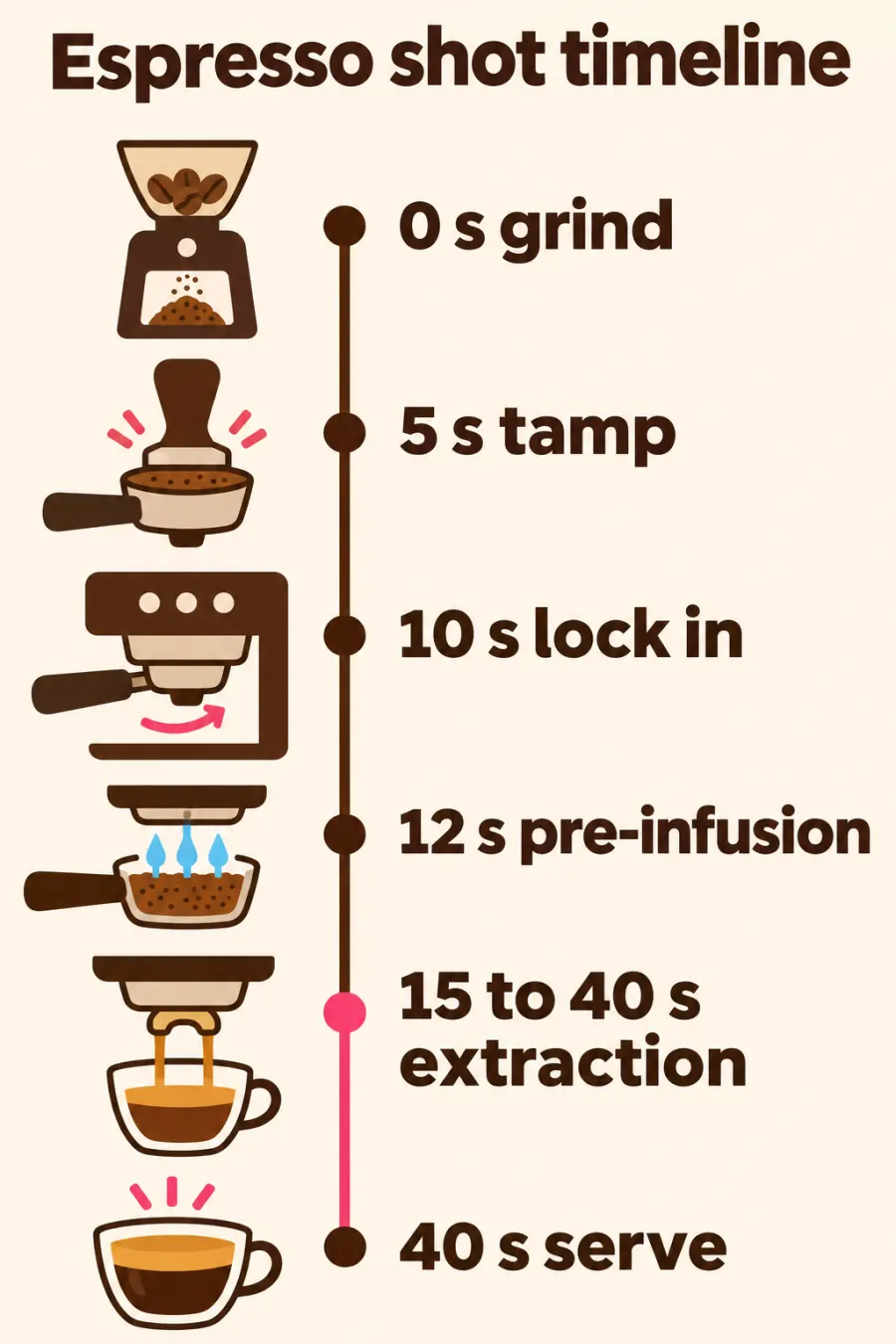
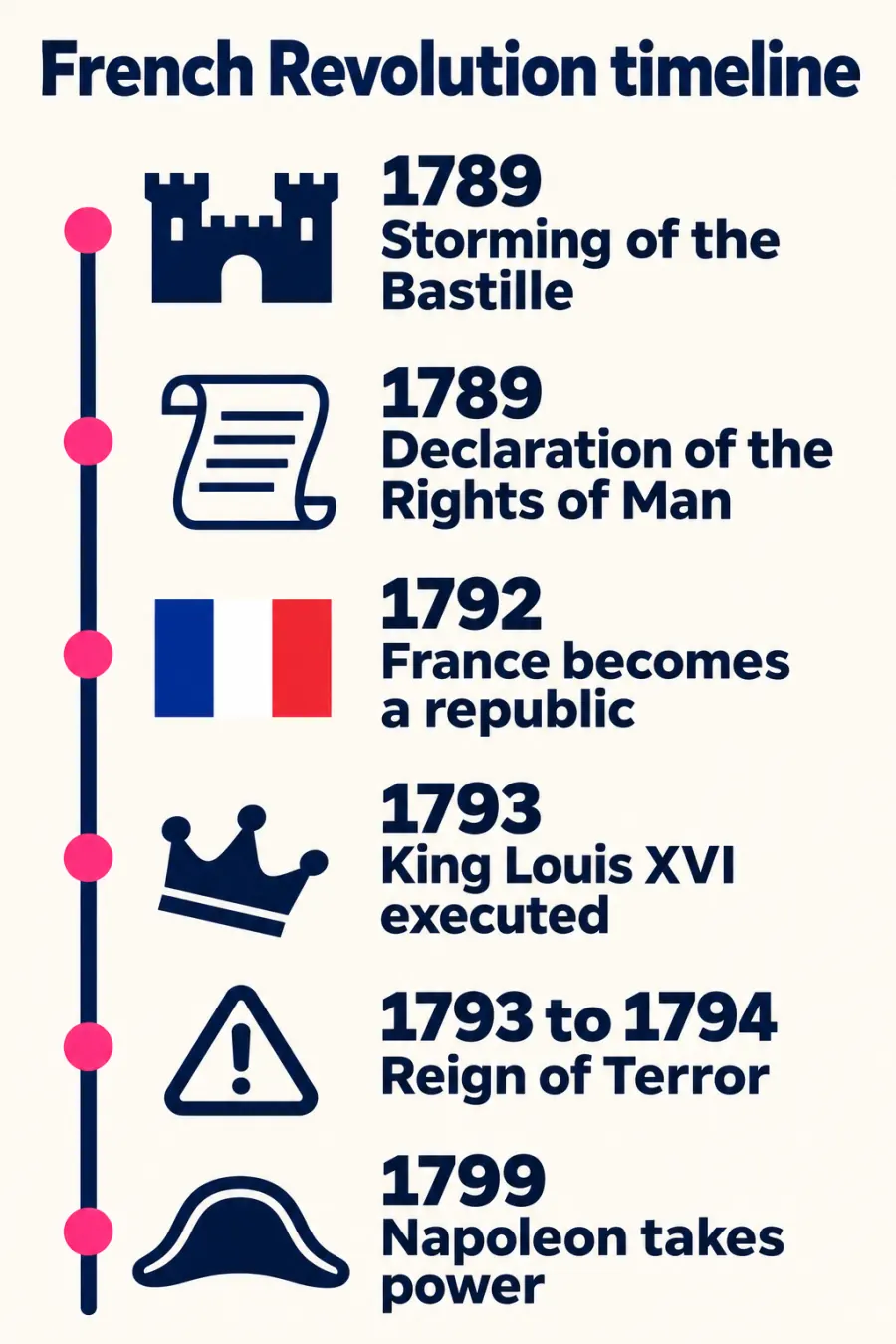
Examples made with ChatGPT-style AI image generation. Tap one to see it full size.
Exploded view
What you get: the thing pulled apart like a schematic, every part floating in order with a label, so you can see how it's built and how it works. This one's so cool.
Use it when: it's a physical thing. Your product, a machine, a plant cell, the human heart, the inside of a car engine.
Tip: this works best on physical things. For an idea or a process, use a flowchart instead. And check the part names, because it can invent a part that sounds right.
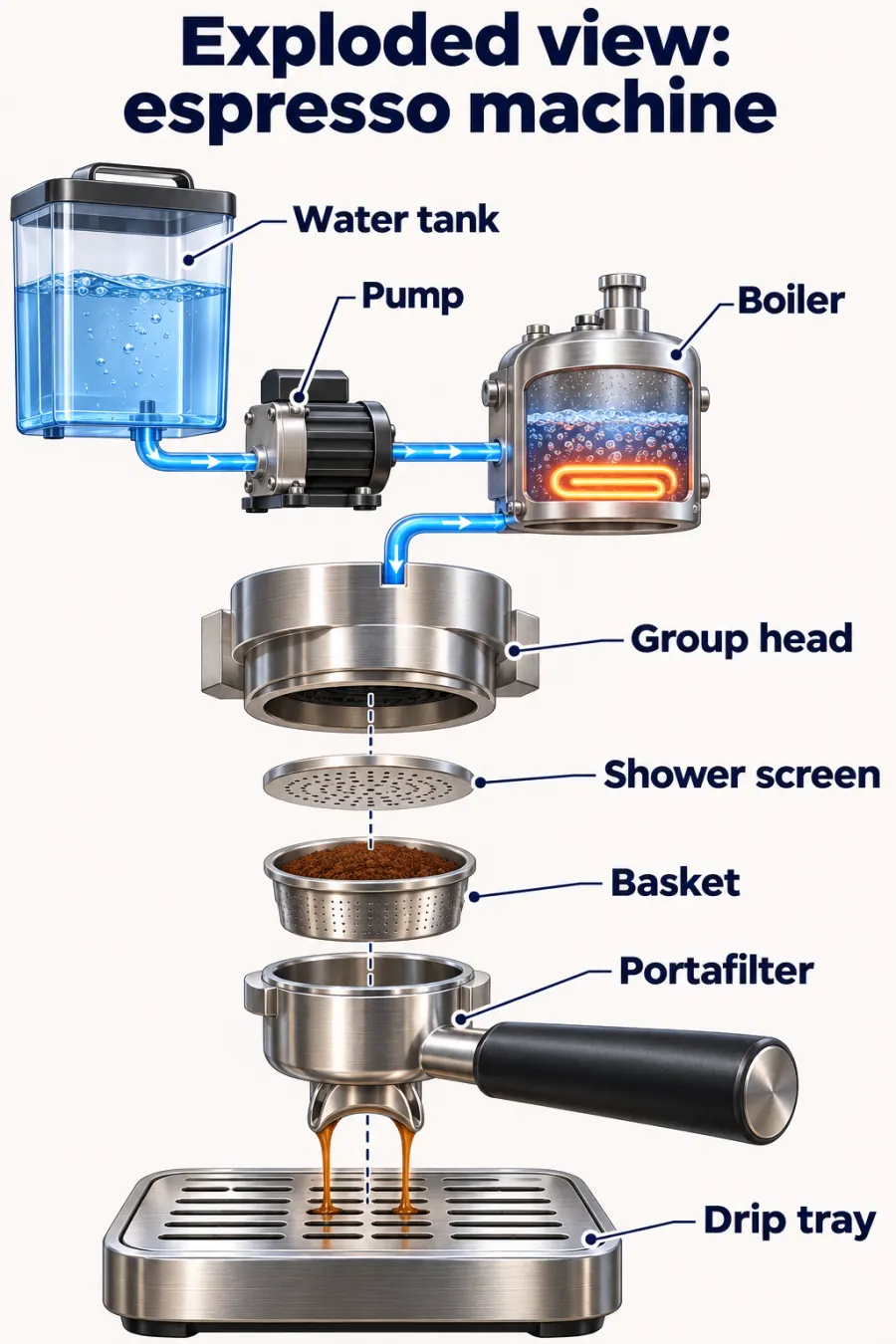
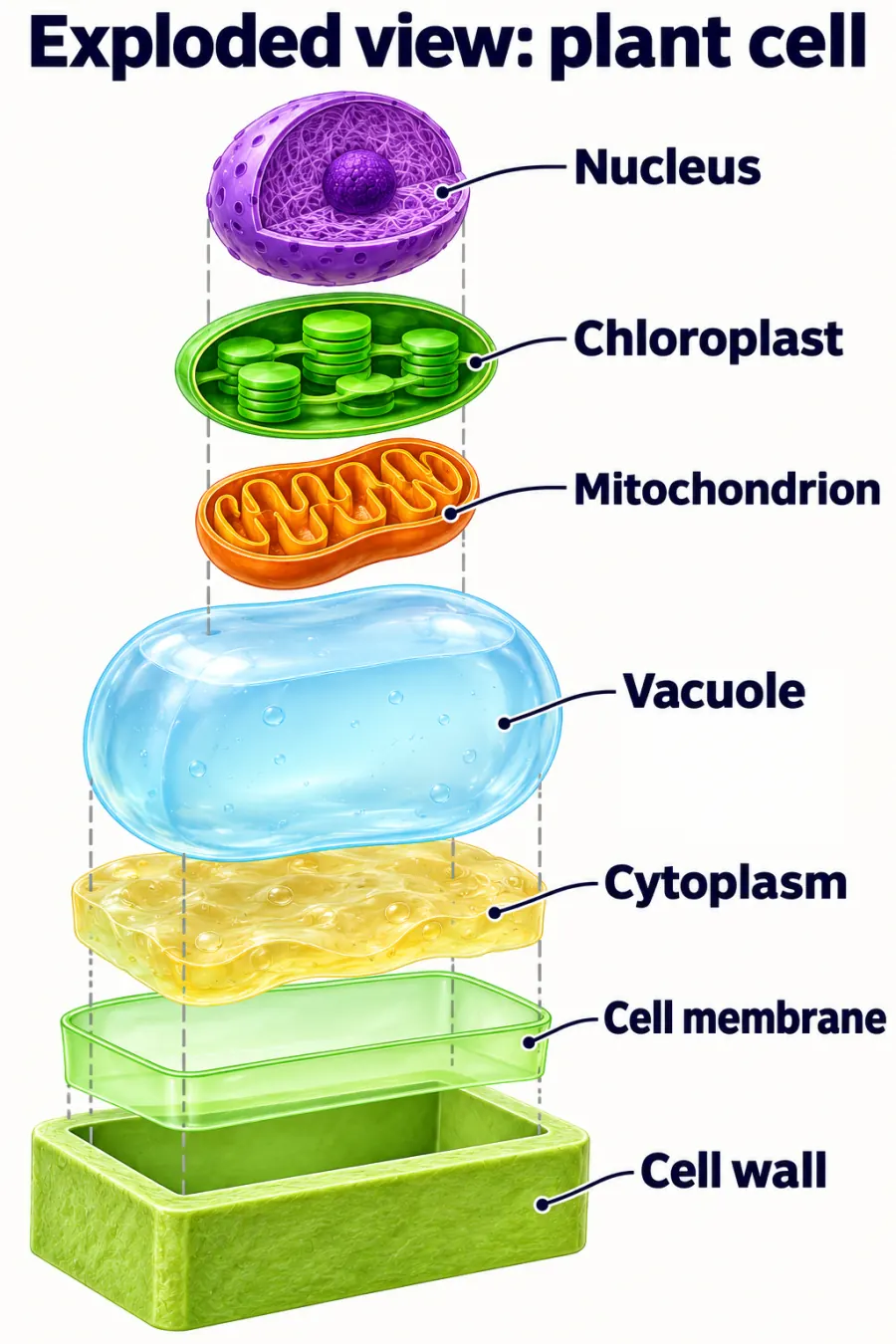
Examples made with ChatGPT-style AI image generation. Tap one to see it full size.
Flowchart
What you get: every step of a process gets a box and an arrow, so you always know what comes next. Perfect for any process.
Use it when: you want your client onboarding on one page, you're training a VA on how you handle refunds, or you're studying how a bill becomes law.
Tip: paste your real steps into that last line. Then it draws your process, not a made-up one.
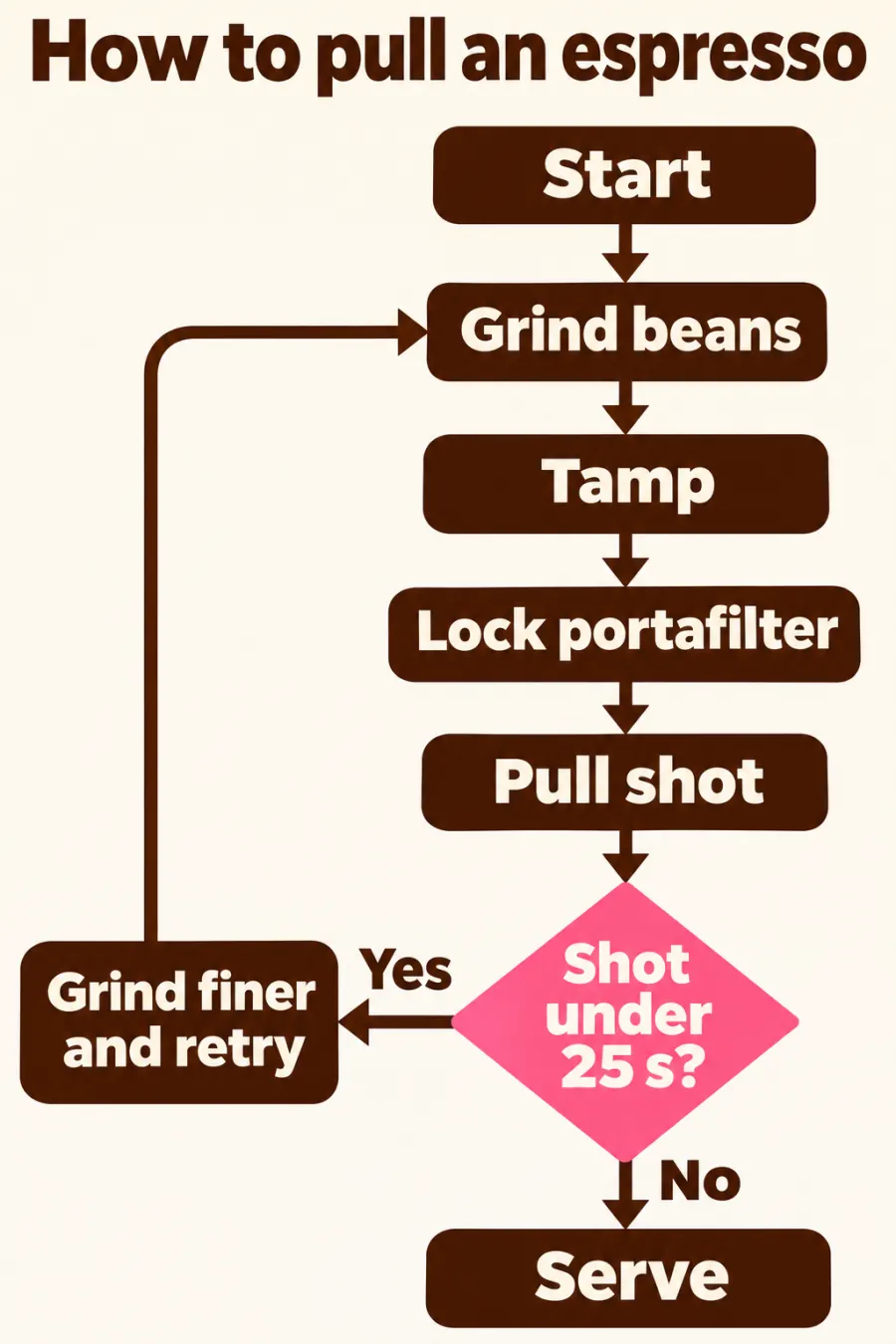
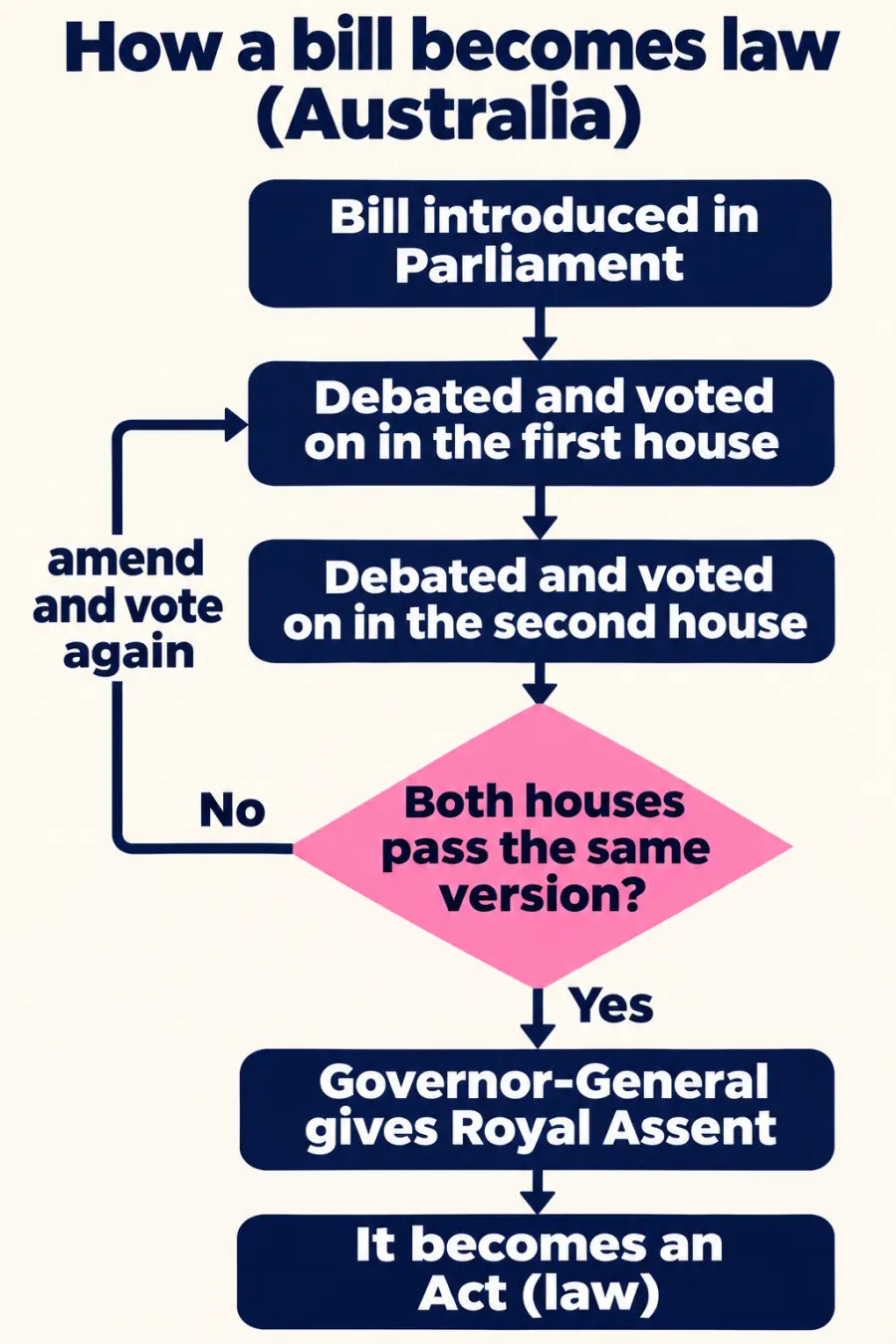
Examples made with ChatGPT-style AI image generation. Tap one to see it full size.
Visual cheat sheet
What you get: a one-pager with just the key stuff you need to know. No paragraphs. Only the bits you'd highlight.
Use it when: you're revising for an exam, your team needs a quick reference for a new tool, or a new client needs the 6 things to know before they start with you.
Tip: save it to your phone and it's there whenever you need it. Same rule as the timeline though: check every number before you trust it.
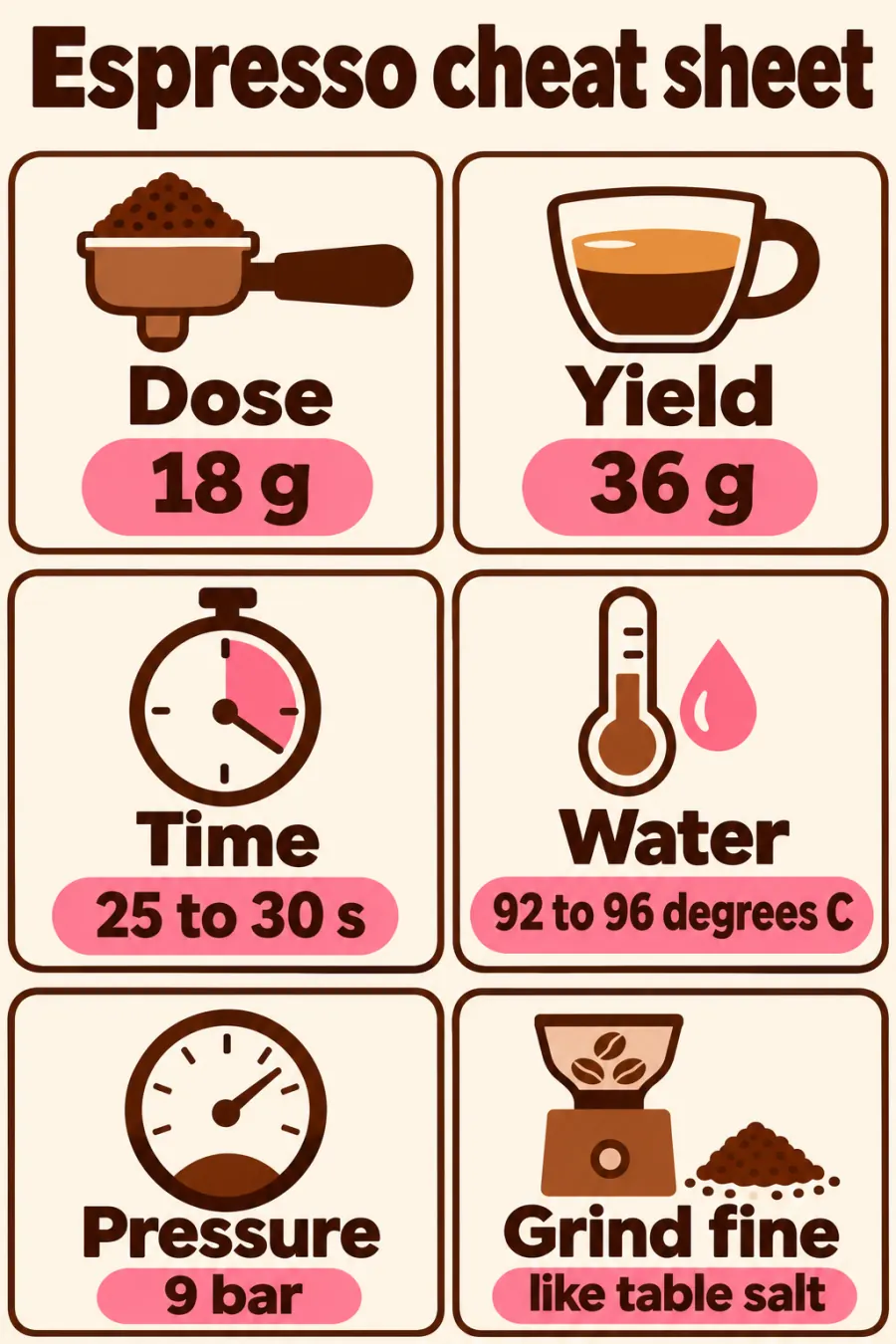
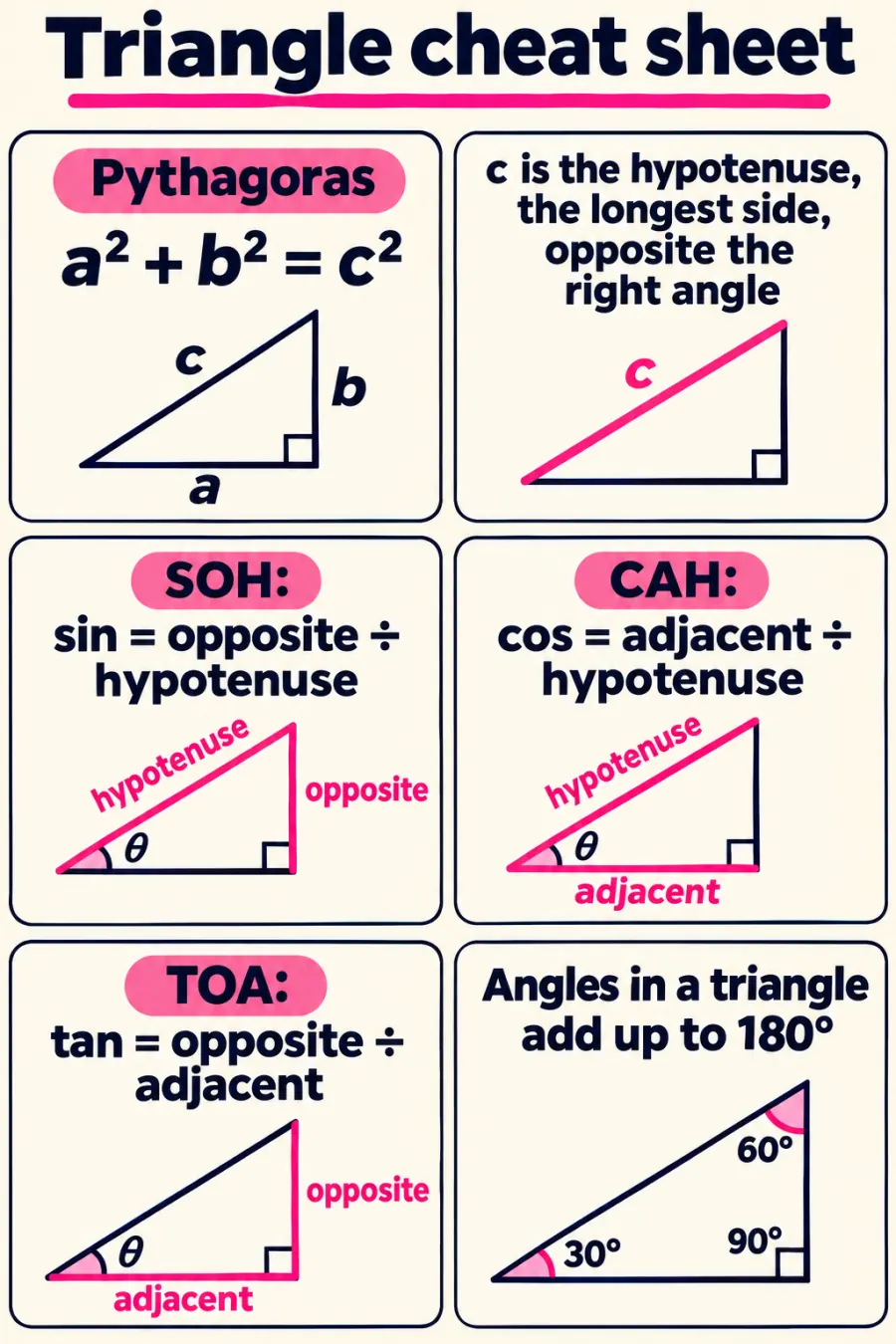
Examples made with ChatGPT-style AI image generation. Tap one to see it full size.
Check the picture
Just double-check the picture. AI images still misspell small words and get facts wrong. OpenAI says so itself: its image generation launch post lists made-up details and small, dense text as known weak spots. That matters most when you're learning from the picture, because a wrong date on a timeline looks exactly as confident as a right one.
The 4-step check
The fix-it prompt
Found a mistake, or not sure? Paste this into the same chat:
Know exactly what's wrong? Be specific instead:
They're not secret codes
These power words are just words that tell ChatGPT what kind of picture to draw. You could describe the picture in a paragraph and get there too. The power word is the shortcut.
Free plan or paid?
Yes, it works on the free plan too. There's just a cap on how many images you can make.
OpenAI's ChatGPT Free Tier FAQ lists "Create images in ChatGPT" as something free users can do. It also says image generation has "separate usage limits" and "ChatGPT will notify you when you reach an applicable limit". When you hit it, you wait until it resets. ChatGPT Plus has "higher rate limits".
OpenAI doesn't publish an exact number for the free plan, so I'm not going to guess one. (Checked 17/11/2026.)
On the free plan? Every remake counts as another image. Fix a wrong word with one specific prompt (the "change one word" one above) instead of asking it to start again five times.
What about Claude?
Claude doesn't draw pictures the way ChatGPT does. Its own help centre says Claude "doesn't generate photos or illustrations the way image-generation tools do". What it can do is build diagrams, charts and interactive visuals right in the chat (in beta on Claude web and desktop). So for a flowchart, timeline or cheat sheet, Claude can build you one. For an anime comic or a realistic exploded view, use ChatGPT.
4 bonus power words
Same trick: the power word, your topic, and ask for it as an image.
Side-by-side comparison
Two things next to each other with the same points down both sides, so the differences jump out.
Venn diagram
Two overlapping circles: what's only A, what's only B, and what they share.
Decision tree
One question at the top that branches into yes and no until every path ends in an answer.
Infographic poster
A title, three big facts with icons, and one takeaway line. Give it the facts yourself so it doesn't make them up.
Want 16 more?
Grab my ChatGPT image codes: 16 more styles like /xray, /blueprint and /handwritten, each with the exact prompt. Get the 16 image codes →
Want help using AI in your business?
My membership is where we build this stuff together.
Three live calls a month: one live build with me, and two co-work and Q&A calls. All recorded. Plus 250+ lessons and resources.
Make your first flowchart from this guide, then bring it to a call and we'll turn it into a system.
Join the membership →Already a member? Bring your flowchart to the next co-work call.