An AI dashboard is live only if it fetches fresh source data. Opening a pretty page proves nothing about its numbers. Check the last successful refresh, the account and date range, and a sample against the original app.
You've probably seen the backlash. People calling AI dashboards "just static screenshots pretending to be something useful."
And honestly? They were kind of right. A dashboard you build once and never refresh is just a screenshot with extra steps. Pretty to post on LinkedIn, useless by Tuesday.
In this recording I built a Cowork artifact configured to refresh on open. That is the behaviour of this build, not a promise that every artifact refreshes automatically. Anthropic’s Cowork guide is the current starting point; labels and available features can change.
The static-vs-live problem, explained
Here's the distinction that matters, because it's the whole reason the criticism existed.
A static dashboard is a one-time render. Claude builds it, it looks great, and it's frozen at the moment it was made. The numbers are right for about a day, then they rot — and you're looking at last week's reality without realising it.
In my recorded Live Artifact, the page fetches data from connected apps when opened. A different artifact can use stored data instead. Ask to see the fetch step and the successful refresh time before treating an interactive page as live.
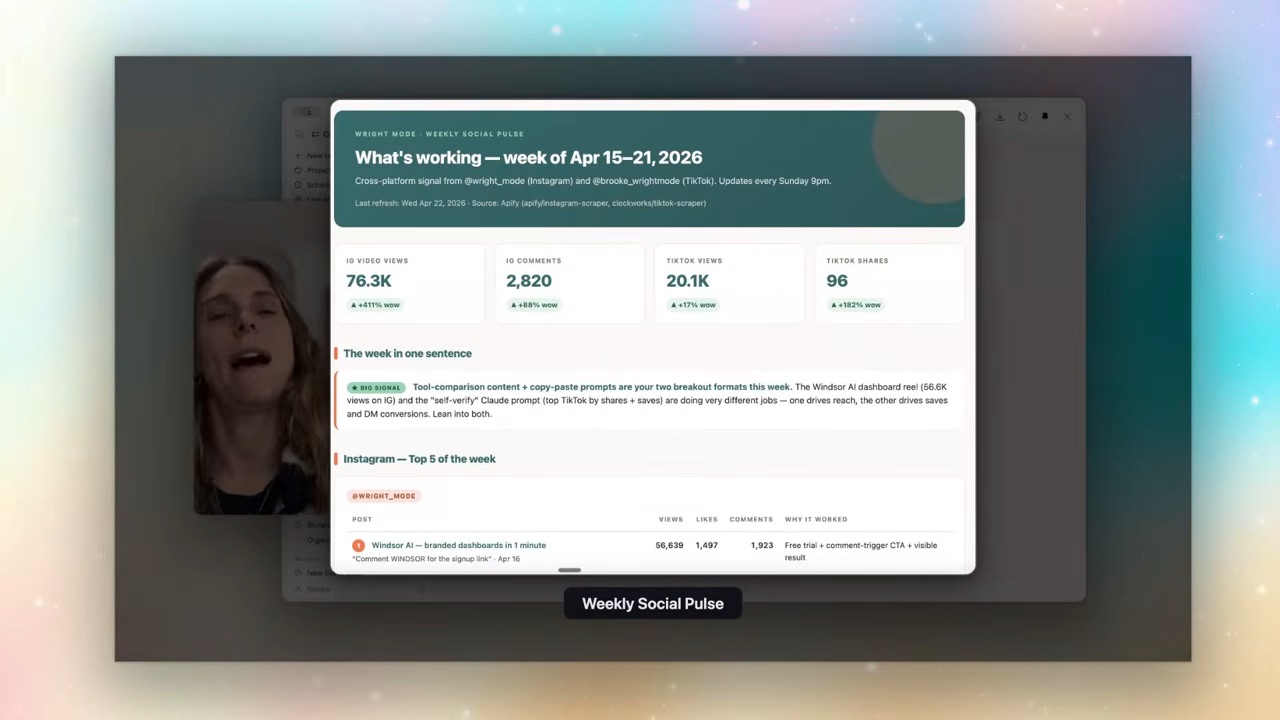
That's the line between "screenshot with extra steps" and "a thing you actually run your week on." If you want the broader picture of how these dashboards get built into a working system, I covered that in how to build an AI assistant in Claude Cowork. This post is about the bit underneath — why the data is actually live.
How the refresh actually works
When you create a Live Artifact, you connect it to your apps — Gmail, Google Calendar, your social metrics, whatever feeds the dashboard. From then on, opening the artifact is the trigger.
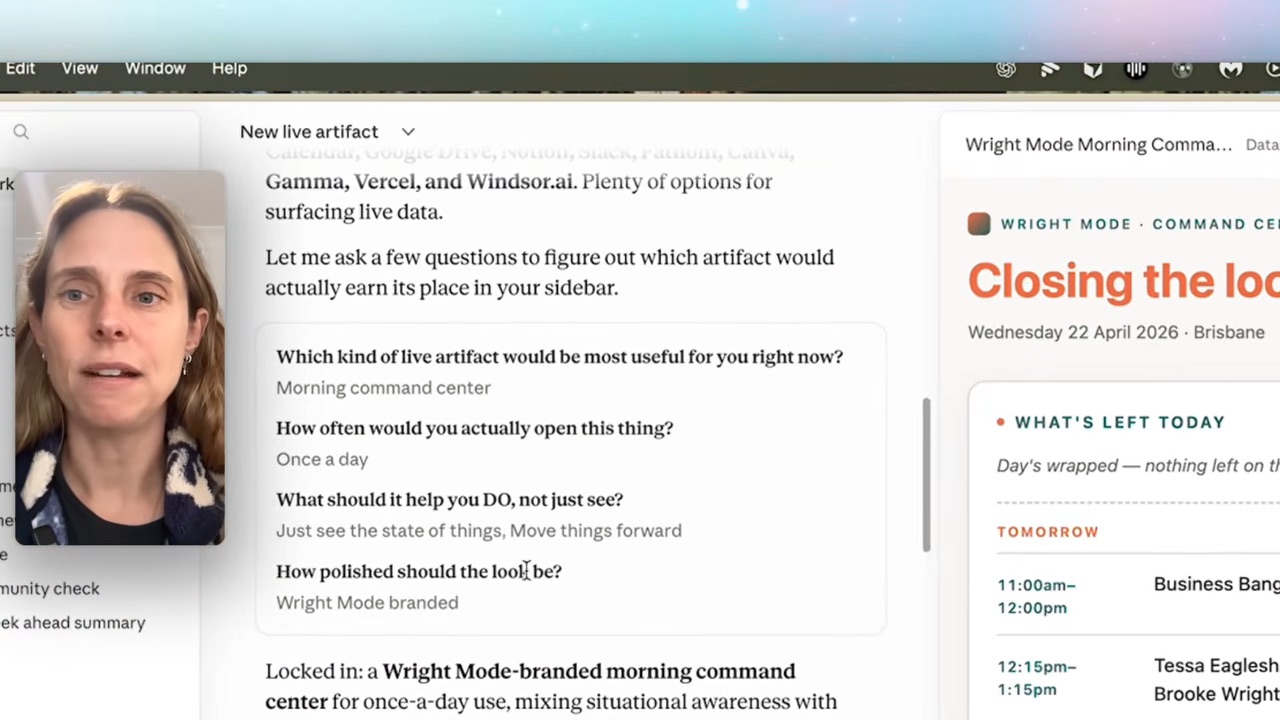
My inbox triage is the clearest example. Open it, and it pulls my unread emails from the last 7 days, groups them by sender, and sorts them by priority. Every time. No "last updated 6 days ago" lie.
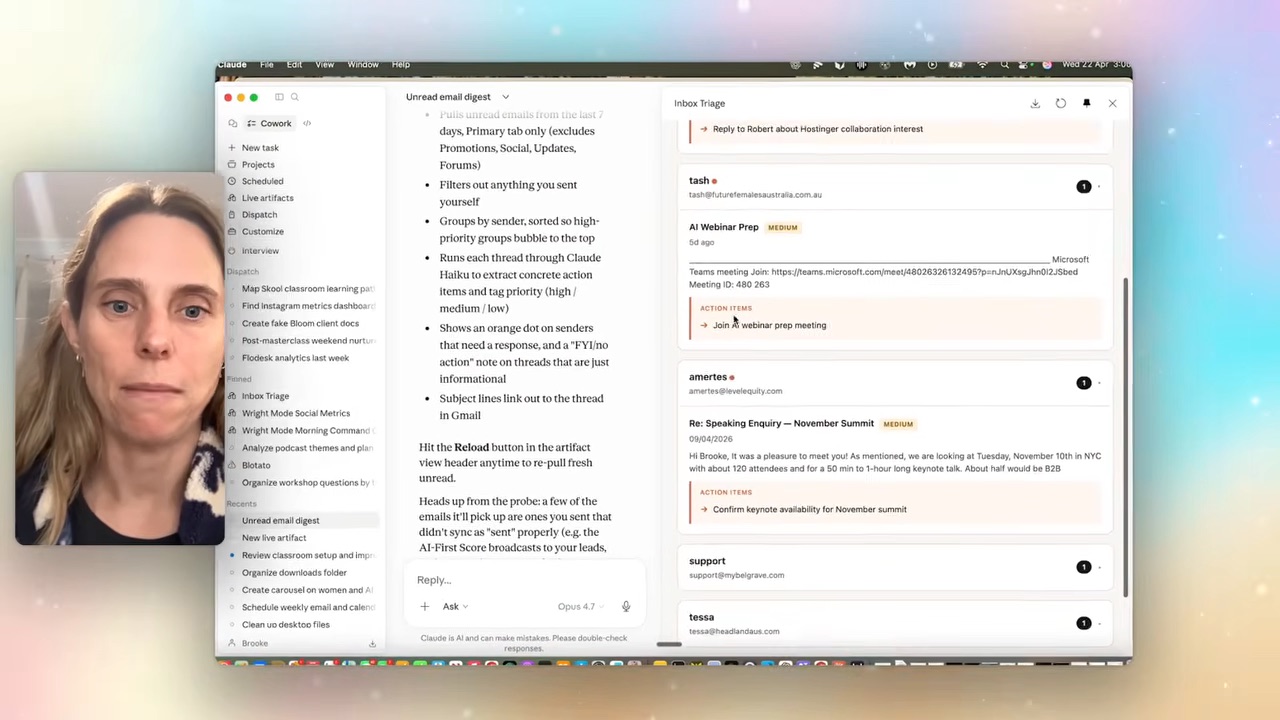
In the recorded build, simpler extraction work used Haiku. Check the actual model and usage in your own setup; don’t budget on an automatic cheaper-model switch being available everywhere.
The fix nobody mentions — your data has to actually be right
Here's the part most tutorials skip, and it's the most important one.
A live dashboard is only as good as the data feeding it. When I wired mine to pull social metrics, the follower count came back wrong. A live dashboard with wrong numbers is worse than a static one — it looks trustworthy and isn't.
So I connected Windsor AI instead of scraping directly — it's an official data connection, which matters, and it can pull Instagram, Facebook, TikTok and even my accounting data into one place.

But even then, it had an issue — Windsor was returning multiple rows per day, which threw the numbers off. I just told Claude: "my follower count isn't accurate, can you make sure we're pulling the correct data from Windsor?" It probed the connection with the right fields, found the duplicate-rows problem, and fixed it. Now the numbers are real.
That’s the workflow: connect, check, then keep checking. Show a last successful refresh timestamp, keep metric definitions beside the numbers, reject duplicate account/date rows and display a clear error if a refresh fails. Keep the previous snapshot labelled with its original date instead of presenting it as current.
FAQ
Are AI dashboards just static screenshots?
AI can build static dashboards or dashboards with live data connections. In this example, opening the page triggers a fetch. Verify the source and refresh result; a chart being interactive does not prove its data is current.
What's the difference between a Live Artifact and a normal artifact?
The difference in this demonstration is the data connection: one page uses a saved snapshot and the other fetches from connectors. Artifact names alone do not establish refresh behaviour.
Do Live Artifacts cost a lot to run?
Cost depends on the model, connected services and number of refreshes. My demonstration used a smaller model for extraction; check your usage after a few runs before leaving it on a recurring schedule.
How do I make sure the data in my dashboard is accurate?
Compare a sample with the original platform after setup and after changes. Check account, date range, metric definitions and duplicate rows. A connector can return unexpected data too; the Windsor example above is exactly why a one-off check is not enough.
I build dashboards like this most weeks, and every one lands inside the Wright Mode membership with the exact prompt I used. It's a community of women building this stuff together, with live Build With Brooke sessions when you get stuck. Come join us — and never trust a static screenshot again.