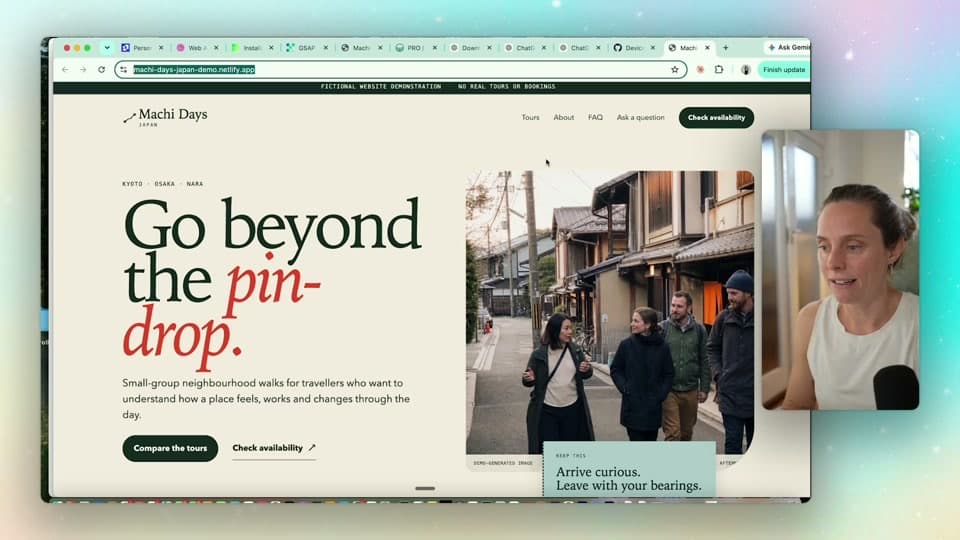
I got back from the gym and the website was done.
Not a landing page. A five-page site for a tour company — home, tours, about, FAQs, a contact form, privacy, terms. Proper SEO. Mobile responsive. I'd written the brief, kicked it off, gone and trained, and come back to the finished thing.
I'd been watching everyone post their "$10k website" builds and I wanted to know whether Codex could genuinely do it. So I built one from scratch for a made-up Japanese walking-tour company called Machi Days, and filmed every step.
You don't need a technical background for this. I don't have one.
What Codex actually is
Codex is OpenAI's coding tool, and it lives inside the ChatGPT desktop app. You talk to it the same way you talk to ChatGPT — plain English, back and forth — except it can write and run real code, and it can reach out to other tools on your behalf.
You'll need a paid ChatGPT plan, and you'll need the desktop app rather than the browser. Grab it from chatgpt.com/download.
That's the whole barrier to entry. If you've used ChatGPT, you can use this.
If you're weighing up which assistant to build with more generally, I've compared them properly in Claude vs ChatGPT for business — but for this particular job, Codex is the one with the plugins.
Connect Netlify and GitHub before you start
This is the step that turns "Codex wrote some code" into "my website is on the internet." Two plugins, both free to sign up for.
Netlify is the host. It's what puts your site on the web and keeps it there. The only thing you pay for is the domain name itself.
GitHub is the backup. Think of it as Google Docs for code — it stores every version, so you can change things without breaking what's already live, and other people can work on it without stepping on you.
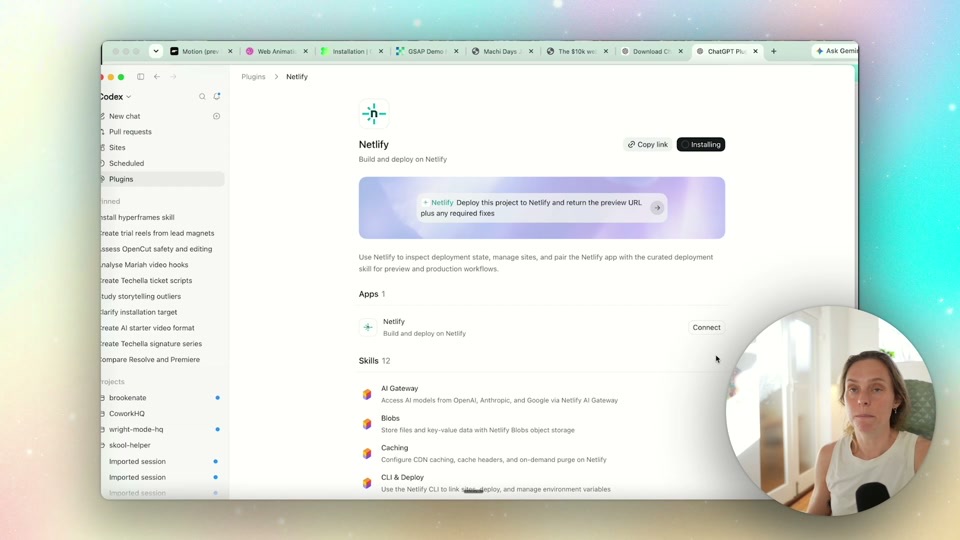
Install both, hit Authorise on each, then start a fresh chat. Now when you tell Codex to publish, it just does it — no exporting files, no dragging folders around, no working out what FTP means.
One thing worth doing properly: make your GitHub repo private. Public repos are visible to anyone on the internet, and that includes any passwords or API keys that end up in your code. Private by default, always.
The brief is the whole job
These tools cannot read your mind. That sounds obvious, and it's still where most people's build falls apart — they type "build me a website for my business" and get something beige and generic back, then decide AI can't do it.
I spent real time on the brief before Codex wrote a single line. What went in:
- Business context — Machi Days is a tour company running small neighbourhood walking tours through Japan
- The primary action — check availability through an external booking platform. One goal, stated plainly
- The ideal traveller — who this is actually for
- The offers — the specific tours, what's in them
- Brand direction — the feel, the tone, what to avoid
- The exact path someone takes — land on the home page, compare tours, open a tour page, check availability
- Policies and operations — terms, refunds, what's a real commitment versus a placeholder
- SEO and site pages — what pages exist and what each one is for
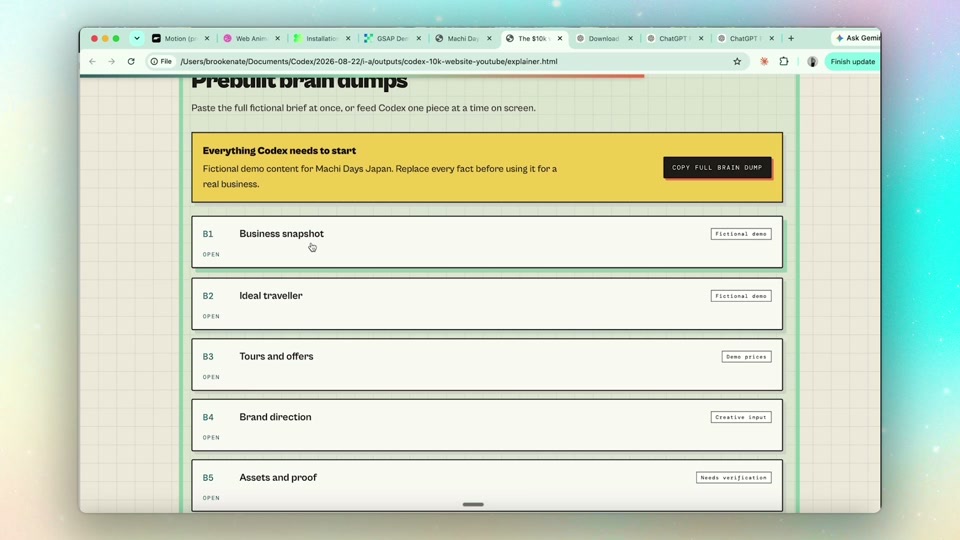
When you're building a website you want to really think about the user's journey.
That's the difference between a site that looks like every other AI-generated site and one that actually belongs to your business. The brief is the work. The build is the easy part.
Give it design references or it comes out beige
Same principle, applied to how it looks. If you don't show it what good looks like, it picks something safe and forgettable.
So show it. Screenshot things you like and hand them straight to Codex. Five places I actually use:
- Pinterest — fastest for general mood and colour direction
- SiteInspire — full websites, properly curated
- Land-book — whole sites, but also broken down by section, so you can point at one specific block and say "like this"
- Motion.dev — the scroll and hover animations that take a site from flat to feeling expensive
- 21st.dev — free component templates you can copy the prompt from directly
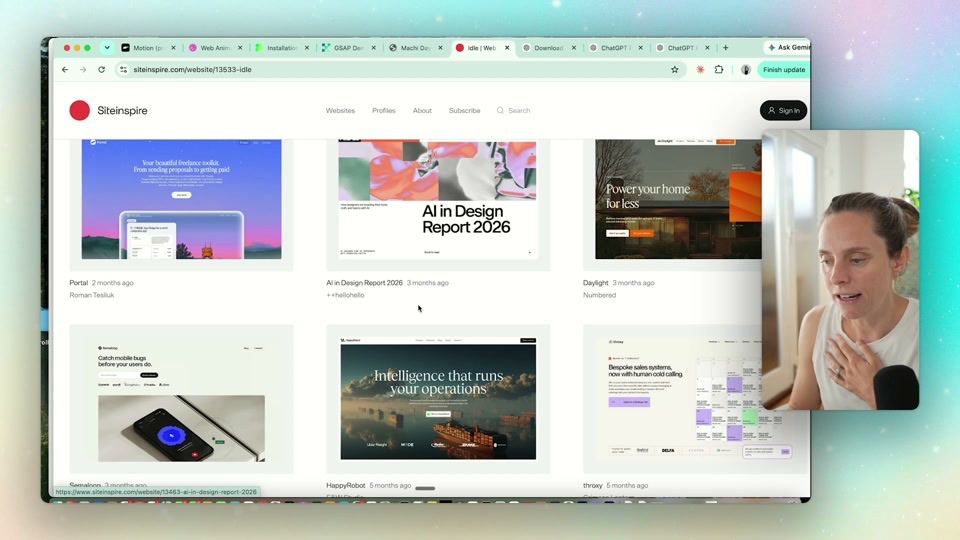
If you've got real brand assets — your colours, your fonts, and especially your own photography — put those in too. Professional brand photography is one of the best things I've ever spent money on. If you're not there yet, Codex can generate placeholder images, and asking for "iPhone quality" gets you something that reads as real rather than glossy AI stock.
The design system step everyone skips
This is the part I skipped when I rebuilt my own site, and it's the part that costs you.
Without a design system, every new page gets designed from scratch. Your buttons drift. Your spacing wanders. Page four looks like a different company built it. You end up with a mishmash and you can't work out why it feels amateur.
So before it builds out the pages, tell Codex to set up a design system with reusable components. Buttons that all match. Consistent spacing. A type scale. Cards that share a shape.
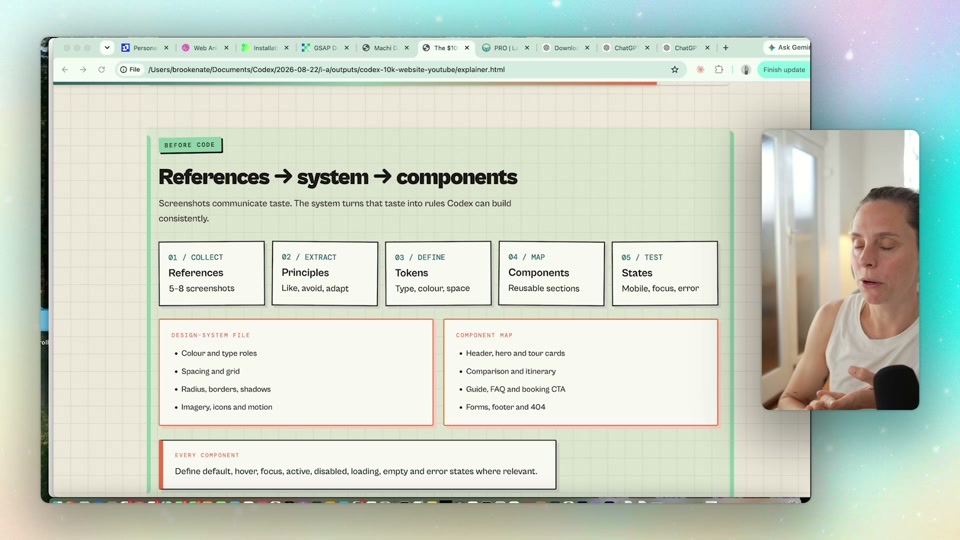
You're not asking for every page to look identical. You're asking for them to look related.
Getting it on the web
Up to this point the site only exists on your computer — that's what localhost means. Two sentences move it to the internet:
Ask Codex to publish it to a new private GitHub repo. Then ask it to use its Netlify plugin to put it live.
Because you connected those plugins at the start, it goes and does both. A couple of minutes later, the site is live and viewable from anywhere.
Then there's the URL problem. Netlify gives you something like your-site-name.netlify.app, and if you're running a real business that costs you credibility instantly. Buy a domain from Namecheap — mine are usually around $7 a year — and ask Codex how to point it at your site. It walks you through the DNS settings, which sounds technical and isn't. You're copying two values across.
Half an hour, and there's a real website at a real address.
Building it for a client instead of yourself
Everything above works the same if you're building for someone else. The difference is ownership, and you want to get it right at the start rather than untangle it later.
Set it up in their Netlify account. Have them buy the domain through their own Namecheap account. Then when the project finishes, it's a clean handover — they own their site, their domain, their hosting, and you're not the person holding the keys to a business you don't run.
If you're building this into a service you charge for, how to build an AI lead magnet that actually prints email subscribers covers the front half of that funnel.
FAQ
Do you need to know how to code to build a website with ChatGPT Codex?
No. You describe what you want in plain English and Codex writes and runs the code. I don't have a technical background and I built a full five-page site with working navigation, SEO, and a live domain. The skill you actually need is writing a clear brief, not writing code.
Is ChatGPT Codex free?
No — Codex requires a paid ChatGPT plan, and it lives in the ChatGPT desktop app rather than the browser version. The other tools in this build are free to start: Netlify hosting, a GitHub account, and free design reference sites. The only other real cost is your domain, usually around $7 a year through Namecheap.
How long does it take to build a website with Codex?
The Machi Days site took about half an hour of actual build time, though generating the images was the slowest part. What takes longer is the thinking beforehand — the brief, the design references, the path you want people to take. Rush that and you'll spend far more time fixing a generic site than you saved.
Where should you host a site Codex builds?
Netlify is the easiest, and it's what I used — free, and it connects to Codex as a plugin so it publishes for you. Vercel handles more complex sites built on Next.js, and Cloudflare is a bit more technical to set up. For a standard business site, Netlify is plenty.
Can you build a client website with Codex and hand it over?
Yes, and it's cleaner than most handovers. Set it up inside the client's own Netlify account and have them purchase the domain through their own Namecheap account. At the end of the project they own everything — site, hosting, domain — and you're not stuck as the permanent middleman.
If you want the full website setup skill — the one that asks you the right questions, takes your branding, and runs this whole build for you — it lives inside the Wright Mode membership, along with a room of women actually shipping this stuff.