Most people are using Claude Cowork like a chatbot. Ask a question, get an answer, close the tab, the whole thing evaporates. Fine for a dinner recipe. A waste of a real tool if you're running a business.
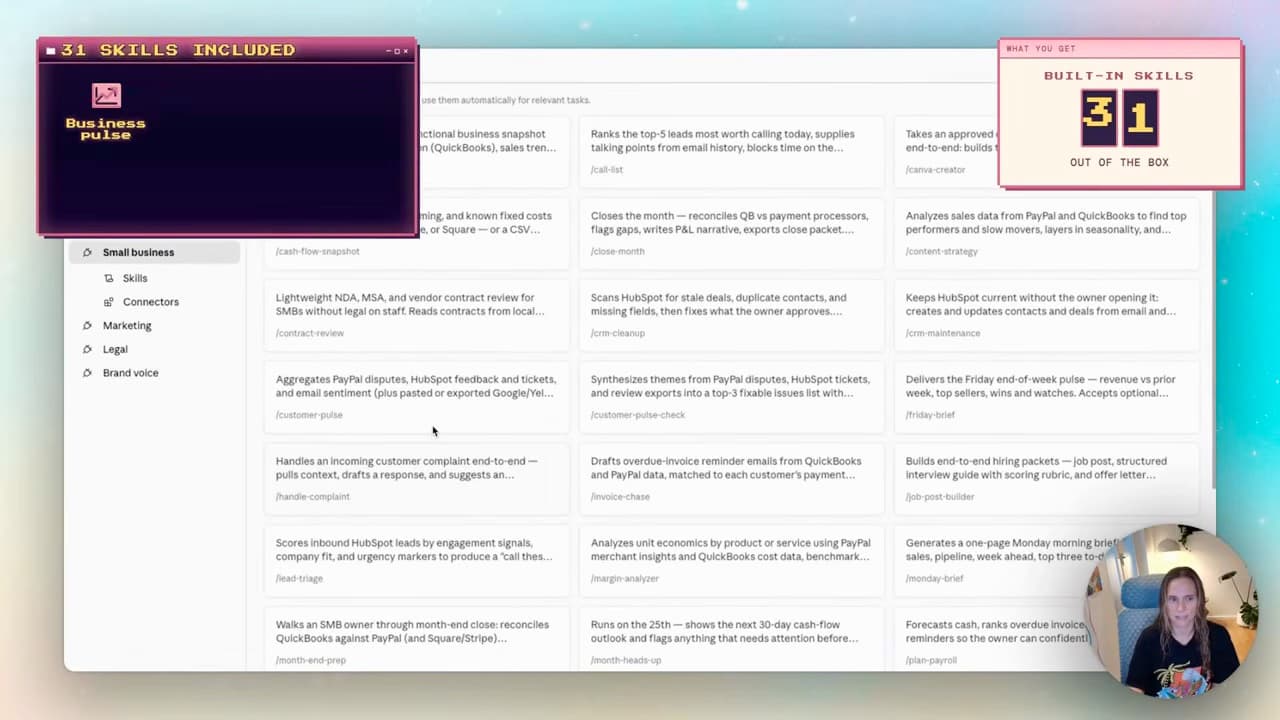
The Claude Cowork Small Business Plugin changes the conversation. One install. 31 pre-built skills. Pre-built connections to QuickBooks, PayPal, HubSpot, Canva, DocuSign, Slack. An entire operations layer wired in — and almost a million people have already downloaded it.
I just walked through the setup end to end. Here's how to install it, the part everyone skips (customising it to your business), and a three-question framework for when you actually need a plugin instead of a single skill.
Skills vs plugins — the difference that matters
Before the install, the bit most people get wrong.
Inside Cowork there are two completely different ways to work:
- Skills are recipe cards. One specific task. "Write a podcast title." "Generate an invoice." They're great for ad-hoc work where you just need one job done.
- Plugins are the whole recipe book. They bundle multiple skills together, can add commands, trigger scheduled tasks, connect to your actual tools, and run sub-agents for multi-step work.
A skill can connect to one tool. A plugin coordinates skills, sub-agents, and connections — which is the difference between a recipe card and a working kitchen.
If you're newer to Cowork generally, the Claude Cowork tutorial — three levels of leverage covers the basics. This post is what comes after — when you're ready to stop hand-building skills one at a time and install an entire operations system in one click.
What's in the Small Business Plugin
When you install this plugin you get 31 built-in skills, all already wired together as a coherent system.
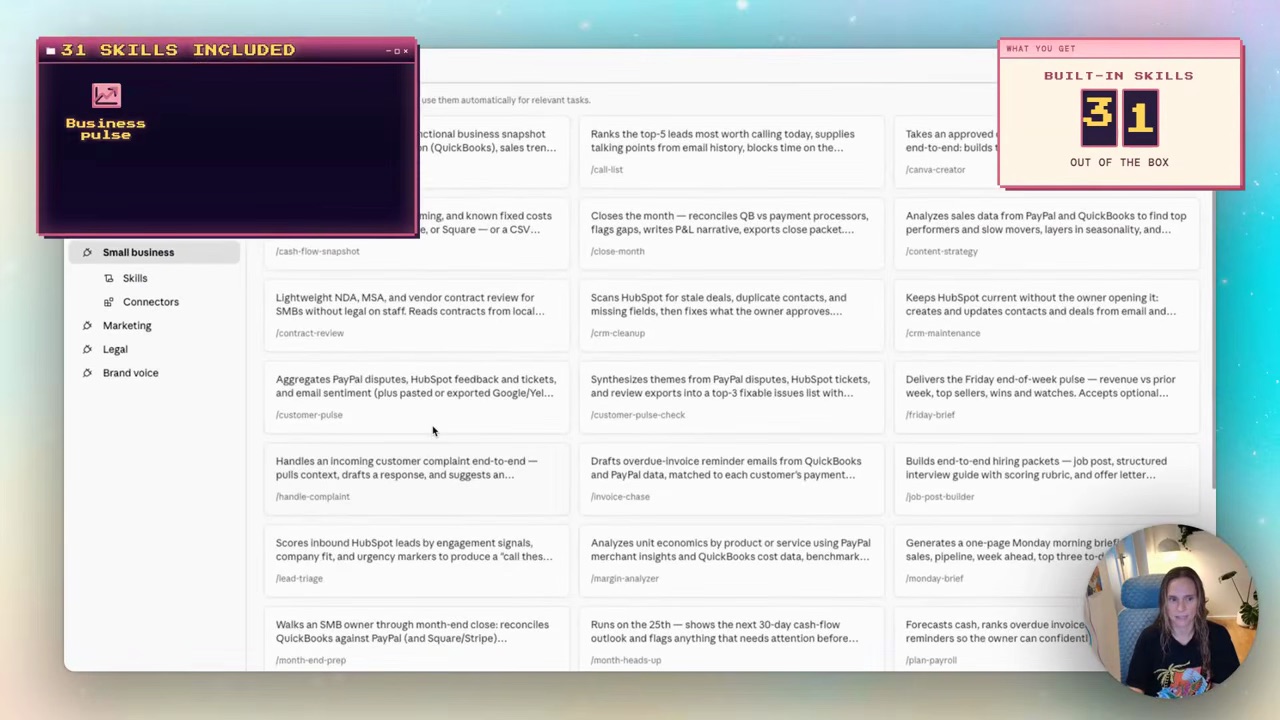
The headline ones, in the categories that matter for actually running a business:
- Operations — Monday Brief (your weekly briefing), Business Pulse (revenue + pipeline check), Friday Wrap
- Sales + CRM — Lead Triage, CRM Cleanup, Call List
- Finance — Invoice Chase, Cash + Sales, Tax Season Organiser
- Marketing — Canva Creator, Content Calendar Helper
Plus pre-built connectors out of the box: QuickBooks, PayPal, HubSpot, Canva, DocuSign, Slack. Add your own (Stripe, Xero, Notion, Google Drive, whatever you actually use) once the plugin is installed.
This is the bit that makes a plugin different from a pile of skills: it's coordinated. The Monday Brief skill knows it can call the Invoice Chase skill underneath it as a sub-agent if there are overdue invoices to flag. The skills aren't isolated — they're a team.
Step 1 — Install it
In Cowork, go to Customize → Browse Plugins. The Small Business Plugin sits near the top of the list (it's the most-downloaded plugin in there). Hit the plus button. Installed.
Done in 10 seconds. Now the real work starts.
Step 2 — Customise it for your business (the step everyone skips)
This is the part that turns off-the-shelf into actually-useful.
Out of the box, the plugin is built around US tools and US tax rules. QuickBooks. US tax categories. US-shaped CRM references. If you're Australian (or anywhere outside the US), you need to remap the plugin to your actual stack and tax system.
The good news: Cowork does this for you. Hit Customize on the plugin and Claude walks you through it conversationally.
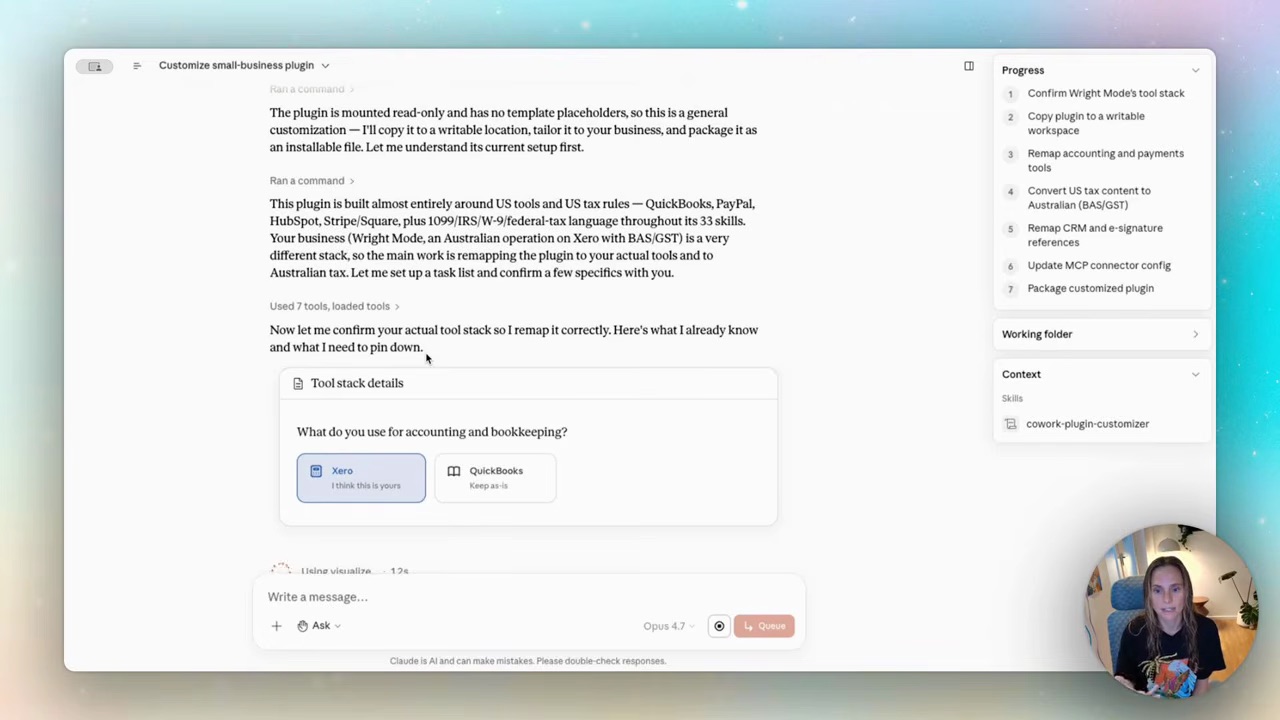
The conversation goes something like:
- "How do clients pay you?" — Stripe + PayPal + bank transfer
- "How do you track leads?" — Notion
- "Do you use e-signature?" — yes / no
- "What's your tax system?" — Australian GST/BAS
Cowork then runs a customisation pass — copies the plugin to a writable workspace, remaps the accounting and payment tools, converts US tax to Australian tax, updates CRM references across all 31 skills, updates the connector config. Watch the progress bar tick across.
That conversation is the difference between a generic plugin and one that actually fits your business. Off-the-shelf plugins are like off-the-shelf AI tools — beige, average, guessing. A customised plugin knows your tools, your tax system, your terminology. Output gets dramatically better.
Step 3 — Use it (the Monday brief example)
The skill I use most is Monday Brief.
Every Monday at 7am AWST it runs without me touching anything. It pulls:
- Revenue and sales from Xero (after the customisation remapped accounting from QuickBooks → Xero)
- Pipeline data and lead status
- Calendar events for the week ahead
- My emails to flag anything that needs following up
Then it lands in Slack as a single message: "here's your week." I read it with my coffee.
The same workflow would have taken me a few hours to build in n8n a year ago. Now it's running because I installed one plugin and ran one customisation conversation. That's the leverage skills alone don't give you — orchestration of multiple data sources into one output, on a schedule, without code.
When to use a skill vs install a plugin
Three questions, before you go plugin-crazy and install everything.
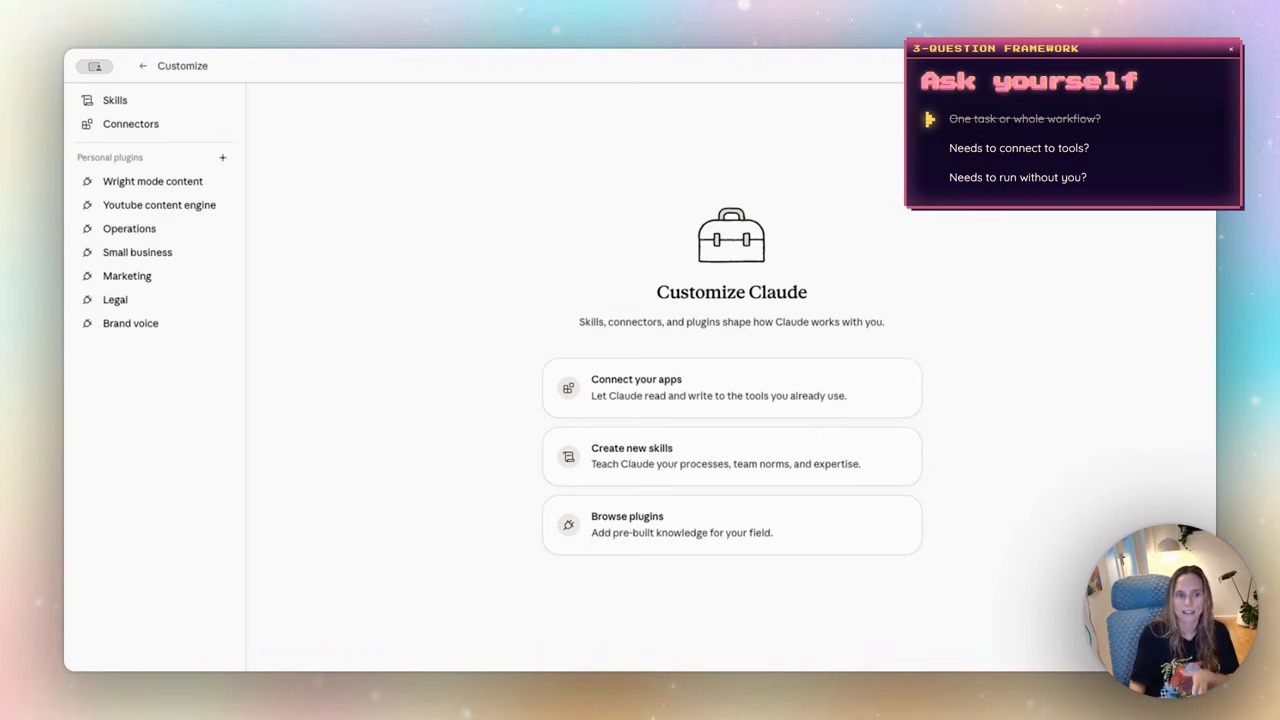
1. Is this one task — or part of a whole workflow?
"Generate an invoice" every time someone signs a project — that's a skill. A recipe card. One job done.
"Check what's overdue, draft a follow-up, update the spreadsheet, then ping me in Slack" — that's a plugin. Multiple steps that need to coordinate.
2. Does it need to connect to other tools?
Skills can technically connect to one tool. Plugins can run sub-agents underneath them — sub-agents are AI agents that operate inside the plugin, each handling a piece of the workflow. That's how the Small Business Plugin can simultaneously check Xero, scan Gmail, look at Calendar, and pull Stripe — without you wiring each connector in by hand.
If your workflow needs more than one tool talking to more than one other tool, you want a plugin.
3. Does it need to run without you?
Ad-hoc trigger ("generate this thing now") — skill is fine.
Scheduled, recurring, autonomous ("every Monday at 7am, check these five things and message me") — plugin territory. Or "have a legal/marketing/ops team always-on in the background" — also plugin.
Skills + plugins together — the operating system
The bigger picture: once you've got plugins running, your business becomes a project structure.
This is where it stops feeling like AI and starts feeling like infrastructure. The Claude skill systems post covers the architecture in detail — the same pattern applies whether you're hand-building skill systems or installing pre-built plugins. Small focused skills + one orchestrator on top + checkpoints where you approve.
The Small Business Plugin gives you 31 skills pre-wired into that architecture. You're not building from scratch. You're customising someone else's well-architected system to your specific business.
FAQ
What is the Claude Cowork Small Business Plugin?
The Small Business Plugin is a pre-built plugin you can install in Claude Cowork that gives you 31 coordinated skills for running a business — invoice chase, Monday brief, lead triage, CRM cleanup, business pulse, and more. It comes with pre-built connections to QuickBooks, PayPal, HubSpot, Canva, DocuSign and Slack. It's free to install with a Claude Pro subscription.
How do I install the Small Business Plugin in Claude Cowork?
In Cowork, go to Customize → Browse Plugins. Find the Small Business Plugin (it's near the top — it's been downloaded close to a million times). Hit the plus button. That's the install. The customisation conversation that follows is what makes it actually useful — Cowork asks about your tools, payment processors, tax system, and remaps the plugin's 31 skills to fit.
Is the Small Business Plugin only for US businesses?
It ships built around US tools (QuickBooks, US tax) but Cowork can remap the whole plugin to your country and stack during the customisation step. It correctly handled Australian GST and BAS for me, remapped QuickBooks → Xero, and rewrote tax-season skills to Australian rules. Works the same for UK, EU, or any other non-US business.
What's the difference between a skill and a plugin in Claude Cowork?
A skill is a single set of instructions for one specific task — a recipe card. A plugin bundles multiple skills together, can add commands, trigger scheduled tasks, and run sub-agents underneath it for multi-step work. Skills are for one-off tasks. Plugins are for whole workflows that need coordination. The three-question test: one task or a whole workflow? Needs to coordinate tools? Needs to run without you? Two or more yeses = plugin.
Can I use the Small Business Plugin if I'm not technical?
Yes — that's the whole point. The plugin handles the coordination for you, and the customisation step is a conversation, not a config file. You'll need to know your own stack (which payment tool, which CRM, which calendar) — but no code, no scripting, no manual API wiring. If you can answer "which CRM do you use?" you can run this plugin.
If you want help wiring this plugin into the systems that actually run your business — Monday briefs landing in Slack, invoice chases firing automatically, the whole operations layer working in the background — that's what we do inside Wright Mode. Fortnightly Build-with-Brooke sessions where we customise plugins and skills together, plus the Cowork HQ structure I use in my own business. Or if you'd rather have it set up for you in one focused session, book a Wright STACK Consult.