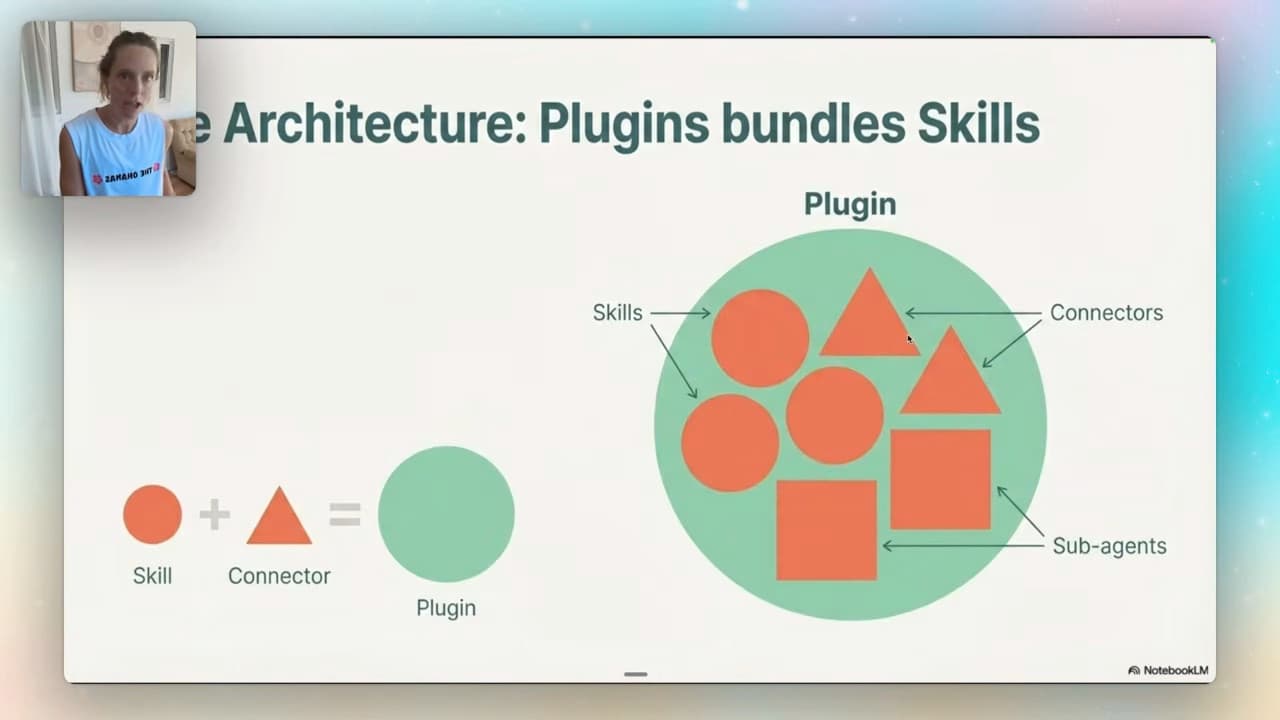
A skill holds reusable instructions and resources. A plugin packages capabilities so you can install and share them together. A plugin can include skills, commands, connectors and agents; it does not need every component.
If you've opened Claude Cowork and seen "plugins" and "skills" thrown around like they're the same thing — they're not. And the difference actually matters once you start building.
This isn't a "here's a plugin you can use for X" post. This is the one that explains what these things are, how they fit together, and how to build your own from scratch. Once the anatomy clicks, you stop installing random things and start assembling exactly what you need.
Plugins vs skills — the actual difference
Here's the cleanest way to think about it.
A skill is a single capability. It contains task instructions and can include scripts or references. It uses only the tools available to the host and allowed for the task. One job, done well.
A plugin is a bundle. It packages skills together with commands, connectors, and sub-agents into one installable thing. The skills are the ingredients; the plugin is the recipe.
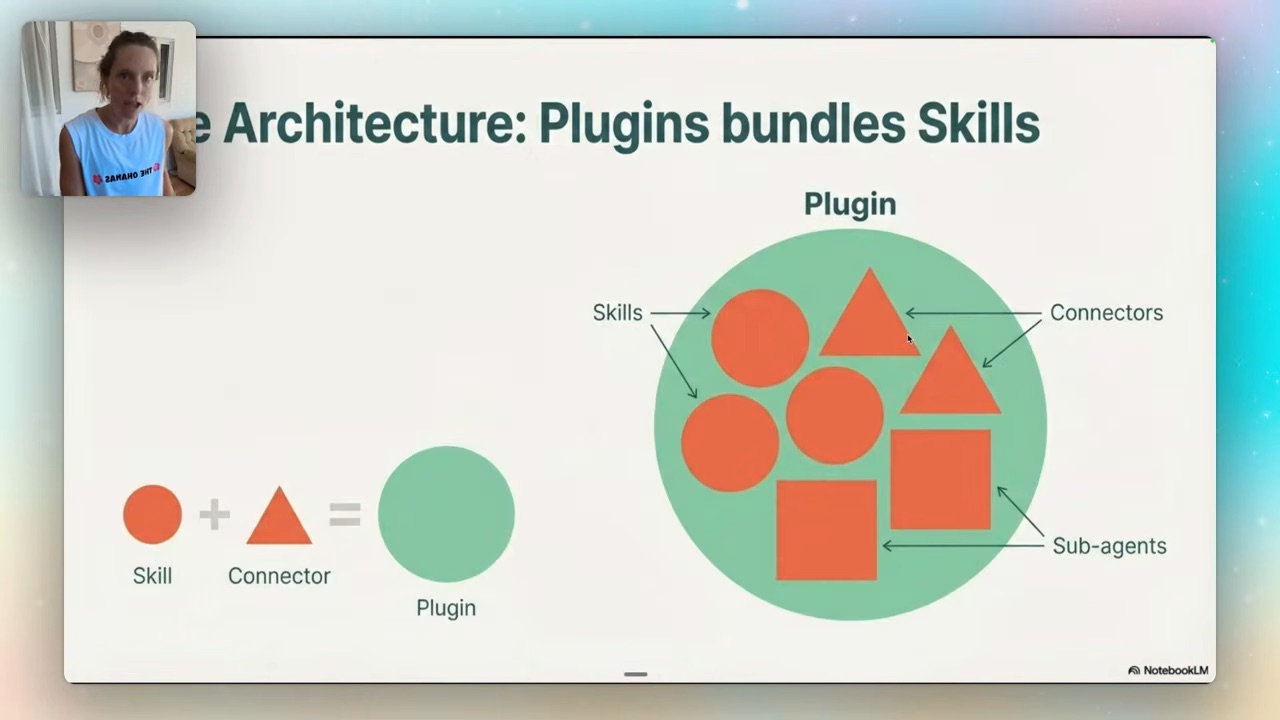
So when someone says "just install the plugin," what they mean is "install this bundle of skills plus the connectors and agents that make them work together." That's why plugins feel more powerful — they're not one capability, they're a coordinated set.
Four components a plugin can contain:
- Commands — shortcuts (slash commands) that trigger specific actions
- Skills — reusable task instructions and resources, used with authorised tools
- Connectors — the links to your apps (Notion, Slack, Google Drive)
- Sub-agents — workers that go off and do tasks in parallel, which is what makes a plugin genuinely powerful
If you've already read my Claude skill systems post, this is the layer above it — skills are the unit, plugins are how you ship a bunch of them together.
Anatomy of a real plugin
Let me show you with a real one. Install a plugin — say the brand voice plugin from Anthropic's library — and open manage plugin. You'll see all four pieces laid out.
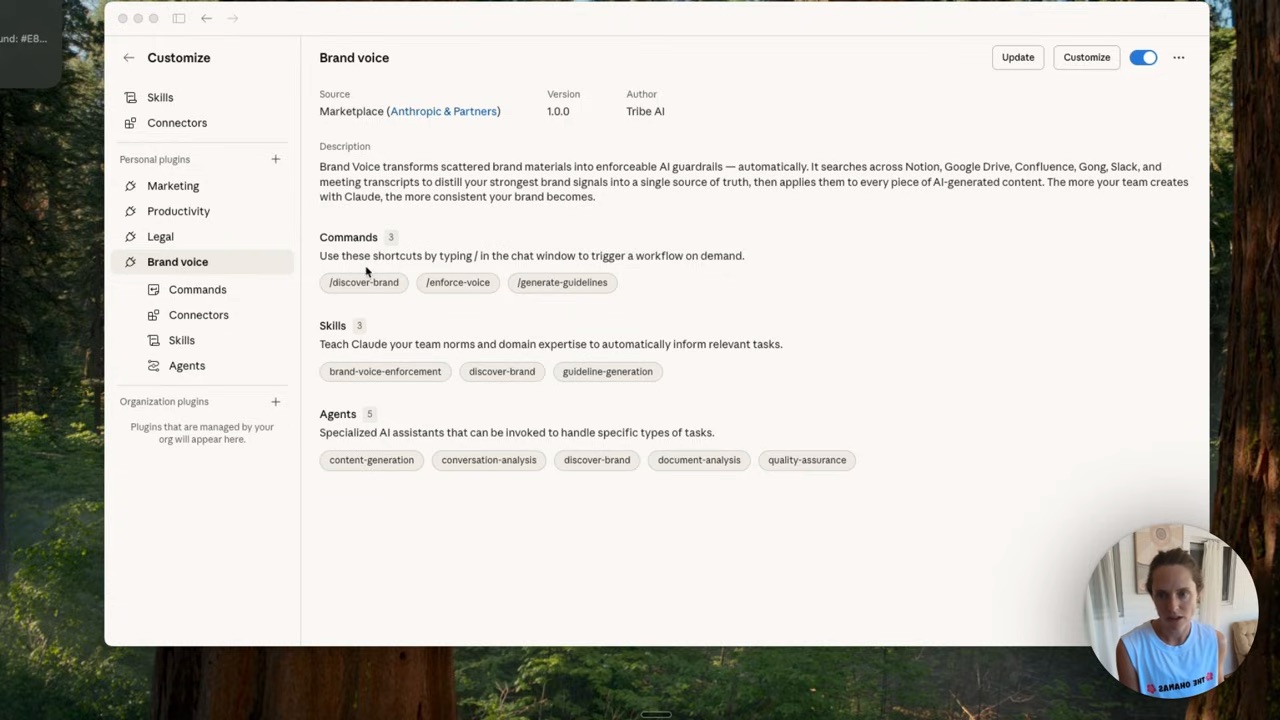
The brand voice plugin has its commands, its connectors (I gave it access to my Notion, because that's where so much of my business lives), and several skills — one to discover your brand voice, one to generate guidelines. And then the agents, which carry those guidelines and run tasks for you in parallel.
The genuinely useful bit: these are templates, and you can edit them. Customise it with Claude, or just try it in chat first. It's not a locked box.
Where to find more plugins
Browse Anthropic’s knowledge-work plugins and the official plugin structure. Read the specific package you install; a marketplace listing does not mean every component in this demonstration is included.
Beyond what's already in Cowork, Anthropic keeps all their official plugins on GitHub — bio research, customer support, design, the lot. Click into one and you'll see every command and every skill that belongs to it.
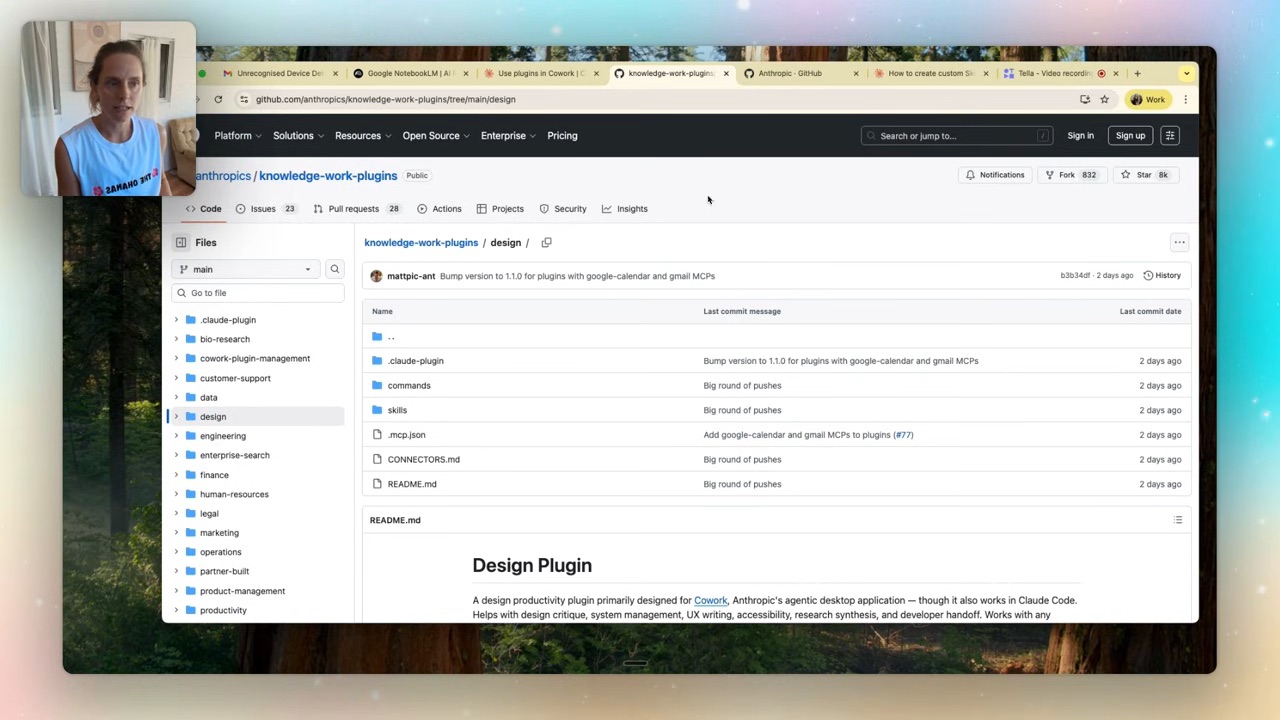
To add one, download it, then in Cowork go to add plugin, hit personal, plus, and add from the marketplace (GitHub) or upload the file. That's the whole install.
How to build your own plugin
This is the part that makes plugins actually yours. In manage plugins, hit plus and create your own with Claude.
Claude asks you a few questions to get clear on the task — what's it for, who's it for, what should it do. I built a content creation plugin: I told it social media content and email marketing, pointed it at the brand voice guidelines another plugin had already generated for me, and let it go.
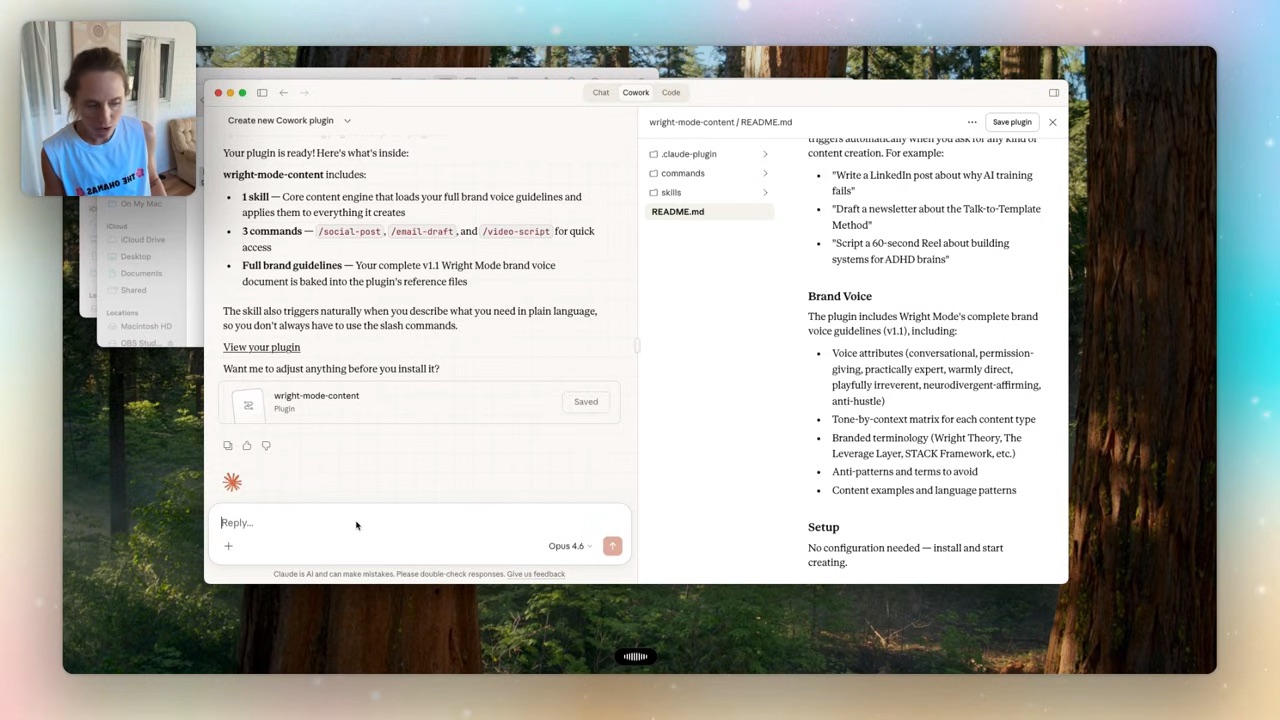
Two minutes later I had a working plugin: one core content skill, and three commands — write a social post, draft an email, write a video script. Hit save, and it's there in Cowork ready to use.
And here's the thing that makes Cowork worth it — while I was building that second plugin, my first task (the brand voice discovery) was still running. You can line up tasks that run concurrently and smash through a pile of work in an hour. That's the difference between this and a chat window.
FAQ
What's the difference between a plugin and a skill in Claude Cowork?
A skill is a reusable package of task instructions and resources. It does not override the assistant’s system instructions or grant account access. A plugin is a bundle that packages multiple skills together with commands, connectors and sub-agents. Skills are the ingredients; the plugin is the assembled recipe you install as one thing.
Do I need to know how to code to build a Claude plugin?
No. You build it through conversation — hit "create your own with Claude," answer a few questions about what it's for, and Claude assembles the skills and commands for you. My small demonstration took about two minutes to generate; testing it on real work is a separate step. (Same reason Claude Code works for non-technical users.)
Where do I find official Claude plugins?
In Cowork's add-plugin menu for the built-in ones, and on Anthropic's GitHub for the full official library — bio research, customer support, design and more. You can browse every command and skill before downloading.
Can I edit a plugin once it's installed?
Yes. Plugins are templates, not locked boxes. Open manage plugin, and you can customise it with Claude or try it in chat first. You can change the skills, swap connectors, and tune it to how you actually work.
If you want the plugins I've actually built — the ones tuned for running a real business, not demos — they're inside the Wright Mode membership, along with every build I make for myself and my clients. We work on actual business tasks with monthly builds and fortnightly co-working and Q&A. Come build with us.